This is an old revision of the document!
What is ACE?
ACE3 is a mod that aims to make Arma a deeper and more realistic experience. ACE is an integral part of our Arma culture at 1Tac and we never play without it. Being a merger of three different mods of the same type it bring an enormous amount of features, too many too list here. The hightlights include:
- A more in-depth medical system in three flavours of increasing complexity
- 3D interaction menu
- Advanced ballistics
- Advanced missile guidance
- Many items to aid navigation, ranging. etc
- Many small changes to improve realism
- Many small quality of life changes
How To Use ACE In A Nutshell
There are many small changes that ace will make to the game, from changing how to see how many rounds you have in your mag to what happens when you get shot. In fact, it's easy to get overwhelmed. However, there are a few key things that will cause problems if you don't know how they work.
Interaction Keys
If you're reading this guide we're going to assume that you've not tried to rebind your keys. Assuming that, your “Interaction Key” is really, really important to understand as many things can't be done without it any more. By default, your Interaction Key is bound to your Windows key, between left-ctrl and left-alt. If you still can't find it it's important that you get this figured out before you start playing in a session as it could cause problems if you're trying to figure it out mid-session.
Interact and the 3D Menu
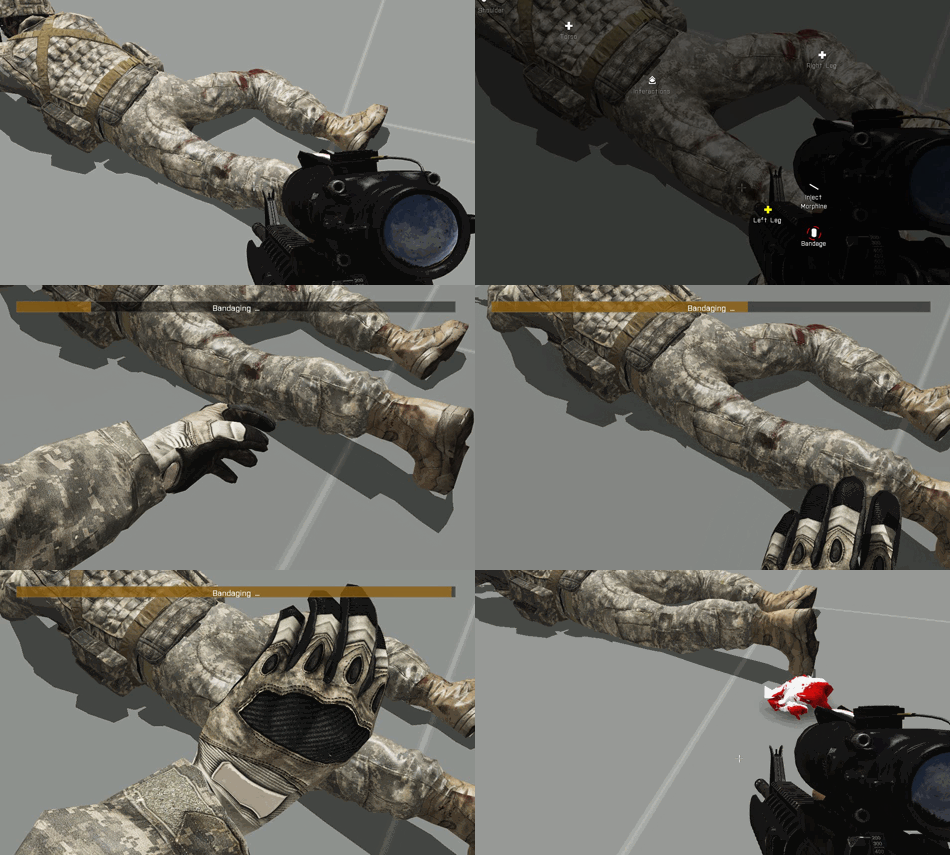
Holding down your Interact Key will bring up a 3D menu. Things you can interact with will have a small dot with a word next to it. Often this word is “Interact” but it can be the name of parts of a soldier's body (for example). In the centre of the screen a small circle will appear. Move the circle over the interaction icon with your mouse whilst holding down interact. Pause for a moment and further options will spawn out of the interaction icon. You can hover over these to either bring up more option (if any) or release over an option to perform that action.
Self Interact
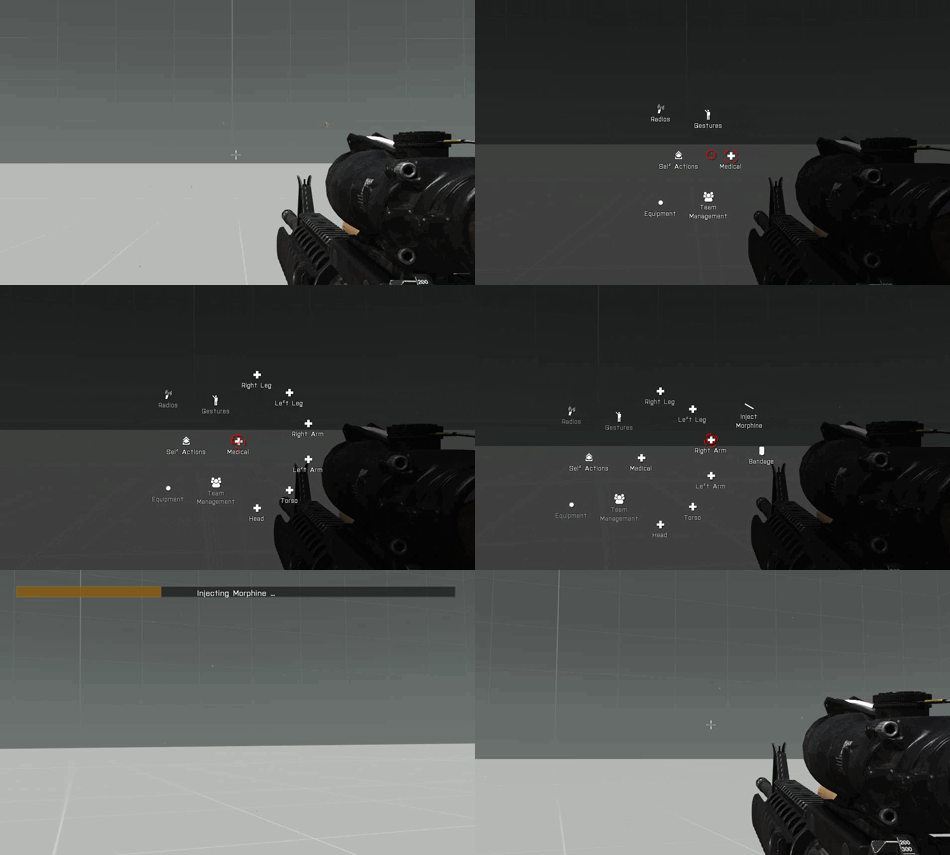
Another important thing to know is how to self interact. This works just like the normal interaction key but it it allows you to perform a variety of action on yourself, such as bandaging a wound or attaching a chemlight to your body. You can bring up your self-interact menu by holding left-ctrl + left-windows.
How To Medic
When a player is injured they can be patched up either by themselves or a friendly fellow player. A player will know if they're injured by noticing the edges of the screen flashing red. Injuries can be sustained to one of six areas on the player's virtual body:
- Head
- Torso
- Legs
- Arms
Injuries to the head are very severe and are likely to result in rapid blood loss, followed equally rapidly by unconsciousness and then death. Torso injuries are next most critical followed by all the extremities being relatively less worrying. Not that not all wounds are made equal and it's possible to have a serious leg injury that kills you faster than a minor head wound. Becoming injured results in pain that is represented to the player by the edges of the screen flashing white in an irritating fashion. Pain can be reduced with the use of morphine injections but more than two in a short time can result in an overdose.
1Tac uses the so called “Basic” medical system that ACE offers. In this system, each
Ammo
Checking Ammo in Current Mag
By default you can use ctrl-r to check how much ammo you have in your current magazine. To increase realism ACE shows you a UI display that tells you how heavy the mag feels compared to when it's full instead of giving you a perfect bullet count.

Repacking Magazines
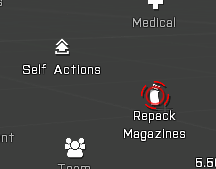
If you have multiple magazines of the same type that aren't full you can use ACE to combine them into fewer full magazines. For example; three half empty mags will become 1 full mag and one half empty mag. You can do this by selecting it from the self interaction menu.
Weapon Jams
Weapons now have a chance to jam when being fired. Your barrel will heat up when firing for prolonged times and this can increase the chance of a jam. You can clear a jam by simply reloading your weapon or using the “clear jam” key (shift-r by default).
Map Screen
Night Time Map Reading
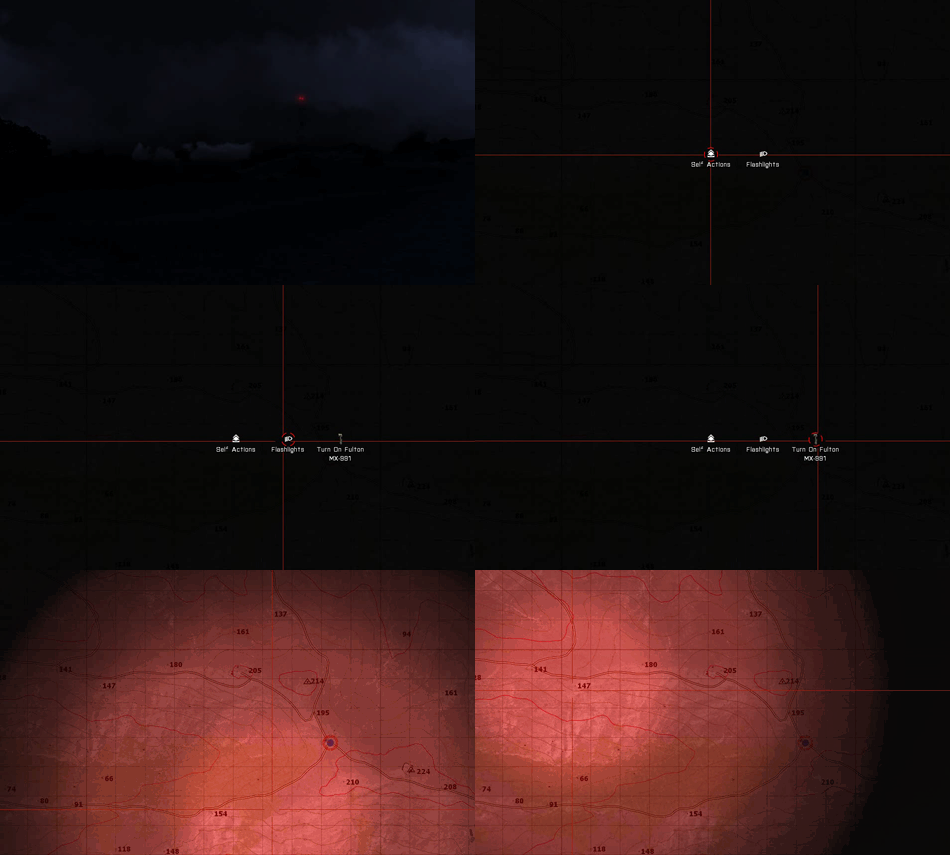
The brightness of your map screen is now affected by ambient light at your position. In the middle of the night reading your map will become very difficulty although standing under a street light or near some headlights can help to overcome this. If you are carrying a torch you can also turn it on in the map screen by selecting the torch from under your self-interaction menu, choosing the “flashlights” sub category from the options and then choosing any torch you may be carrying. Remember, this only works on the map screen. You will then have a spot of light centred on your cursor that will enable you to read your map even in very dark locations. Be aware that when using a torch a small light is created on your player that is visible to other players and might give away your position.
Exciting New Ways to Die and How To Avoid Them
Backblast
ACE3 add backblast to launchers. Make sure that you're not standing anywhere behind a fellow soldier when he's firing his launcher. Backblast can reach to up to 10m behind the launcher, so always stand to the side!
Overpressure
When tanks fire their main guns ACE simulates the powerful shockwave the these guns produce in front of them that tends to pulp squishy infantry. Never stand near a tank in combat to avoid being accidentally killed by overpressure (it's generally a bad idea to stand near them for many other reasons such as getting caught in their explosion if they're hit by AT or run over by them if they suddenly decide to bug out).
Bleeding Out
You can go a while without bandaging up your wounds but leave it too long and you'll start to bleed out. You usually have a few minutes to sort yourself out (depending on the severity of the injury) but you will eventually black out and then a short time later die. Always make sure at least one other person knows if you're injured and bandage the wound as soon as you can without endangering yourself or others.